When the Instrument Has No Dedicated Software
7 minOn the bench there is a power supply, a multimeter and a temperature logger. Three vendors.
Getting all three onto one screen never quite works. Each vendor gives you a GUI for their instrument, and that GUI is for one box of theirs. Putting another company's multimeter on that screen is not that software's job. So in the end you write it yourself — install drivers, write comms code, build a screen to plot the values, and when the experiment changes, edit all of it.
But instruments already know how to talk. There is nothing to invent, only something to wrap.
Three vendors answer three ways
Throw *IDN? and all three reply.
IDN VENDOR-A,PSU-3010,SN421337,1.4
IDN VENDOR-B,DMM-71,SN090210,2.0
IDN VENDOR-C,TL-4,SN005150,0.9
So far, the same. Ask for a value and they diverge.
psu1:MEAS:VOLT?  ->  +3.29505E+00
dmm1:MEAS:CURR?  ->  0.4119\r
temp1:MEAS:TEMP? ->  26.9 C
Three lines all saying one number, in three ways.
- The supply answers in exponent notation
- The multimeter is plain decimal but arrives with a carriage return
- The logger sends the unit glued to the value
All three are SCPI. And still they differ like this. This is the real reason instrumentation code gets messy — not that the protocol is hard, but that three vendors use the same protocol slightly differently.
One place to absorb it
Each instrument gets one function that reads a number. That is the only place that knows that vendor's habit.
/// `+3.30000E+00` — exponent notation. Dart parses it directly.
static double exponent(String raw) => double.parse(raw.trim());

/// `0.4125\r\n` — plain, but with a carriage return that will silently
/// break a naive parse if it is not trimmed.
static double plain(String raw) => double.parse(raw.trim());

/// `24.8 C` — the unit is glued to the value. Split it off, and keep the
/// unit out of the number rather than out of the record.
static double withUnit(String raw) => double.parse(raw.trim().split(' ').first);
The instrument declarations each hold one of those.
static const _psu = _Instrument('psu1', 'VENDOR-A', _Instrument.exponent);
static const _dmm = _Instrument('dmm1', 'VENDOR-B', _Instrument.plain);
static const _tmp = _Instrument('temp1', 'VENDOR-C', _Instrument.withUnit);
A fourth vendor's box adds one line. The branching doesn't spread across the code.
The dialect nearly vanished before reaching the code
This came out of building it. At first lines were split with Dart's default LineSplitter, and that ate the carriage return first. The multimeter's \r never reached plain().
Behaviourally there is no problem. But the place that is supposed to know that vendor's habit ends up doing nothing. When the next instrument sends \r\r\n it blows up there, and nobody knows where to look.
So only the newline is cut.
/// Lines are split on the newline only, deliberately. Dart's LineSplitter
/// would swallow a vendor's carriage return before this code ever sees it,
/// and then the one place that is supposed to know about that vendor's habit
/// would never be exercised. Terminators are a property of the instrument, so
/// they arrive intact and get dealt with once.
The check confirms the three dialects actually arrived. If the instruments turn uniform, this sample demonstrates nothing.
idn = [s.call("bench.read")["wire"] for _ in range(3)]
assert len(idn) == 3, idn                    # exponent · CR-terminated · unit-attached
One screen
Turn the output on and read all three.
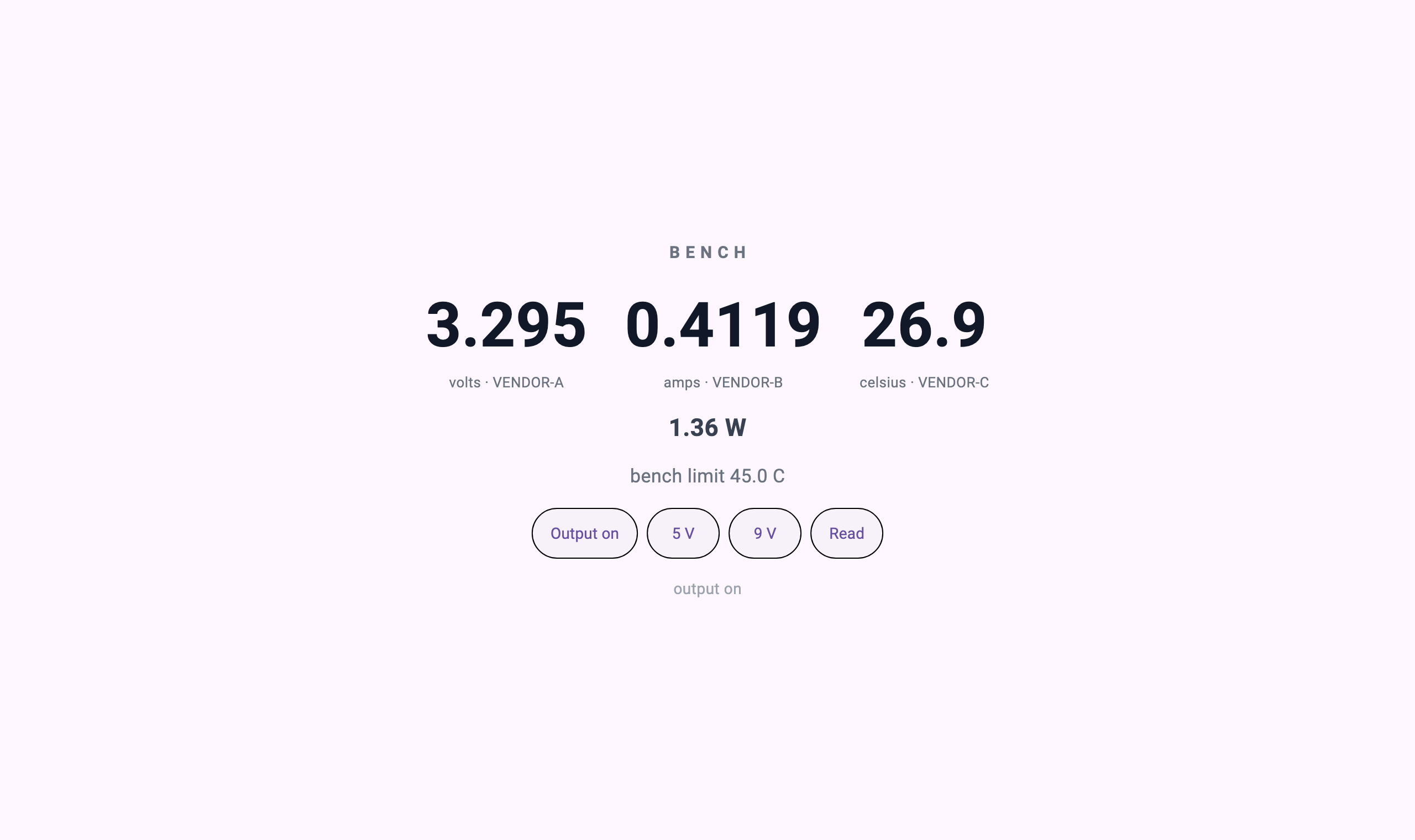
after output on: 3.295 V · 0.4119 A · 26.9 C · 1.36 W
verbatim: psu1:MEAS:VOLT? -> +3.29505E+00 | dmm1:MEAS:CURR? -> 0.4119\r | temp1:MEAS:TEMP? -> 26.9 C
The screen puts each vendor's name under its number. Which value came from which box stays on the screen — once three values take one shape the provenance is easy to erase, and that is the first thing to ask when a number looks wrong mid-experiment.
Raise it to 9 volts.
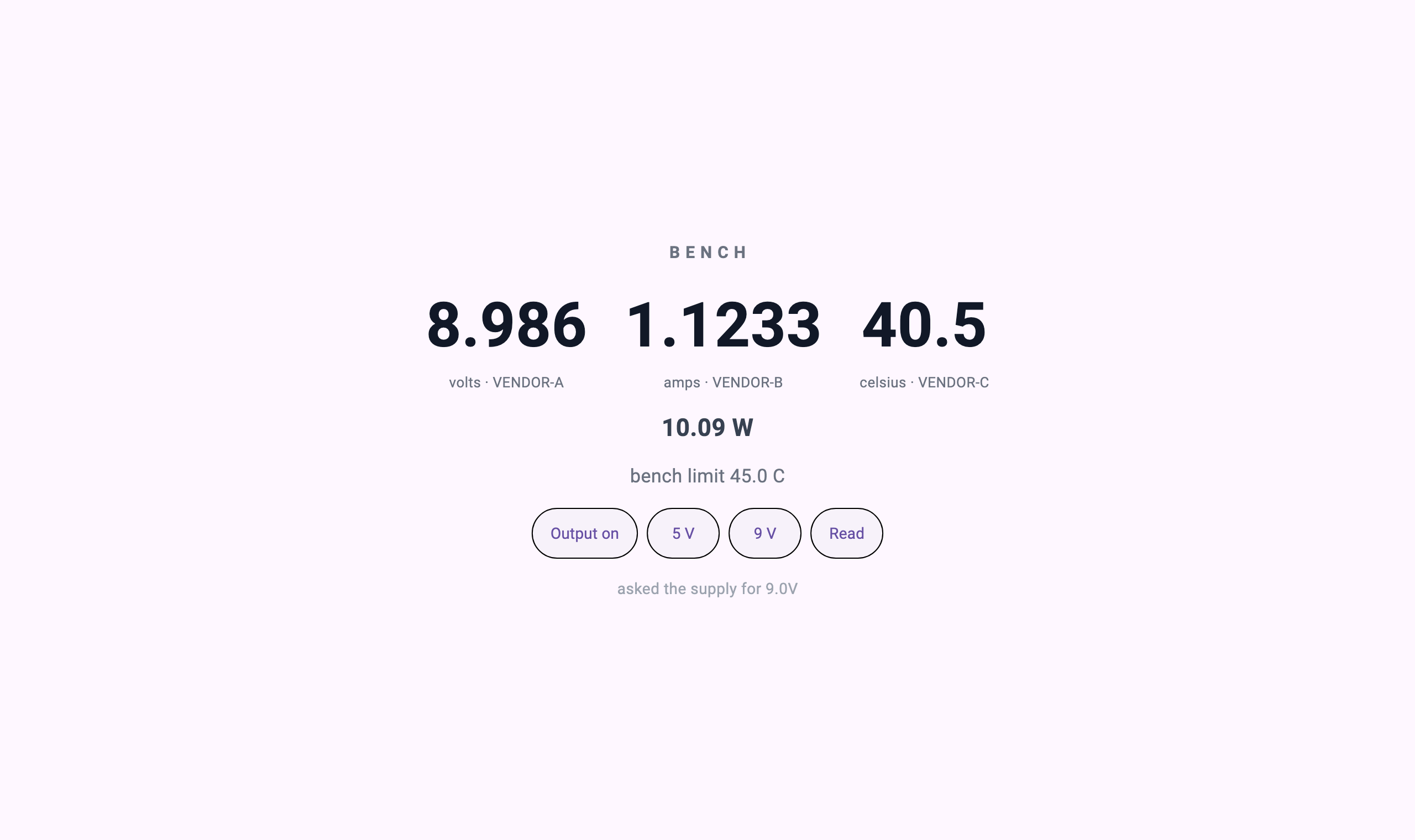
asked for 9 V -> meter reads 8.986 V, 40.5 C, 10.09 WTemperature went from 26.9 to 40.5. Because the logger answered that, not because the screen computed it from power.
The knob is not the meter
Here is the point of this piece. 30 volts was requested.
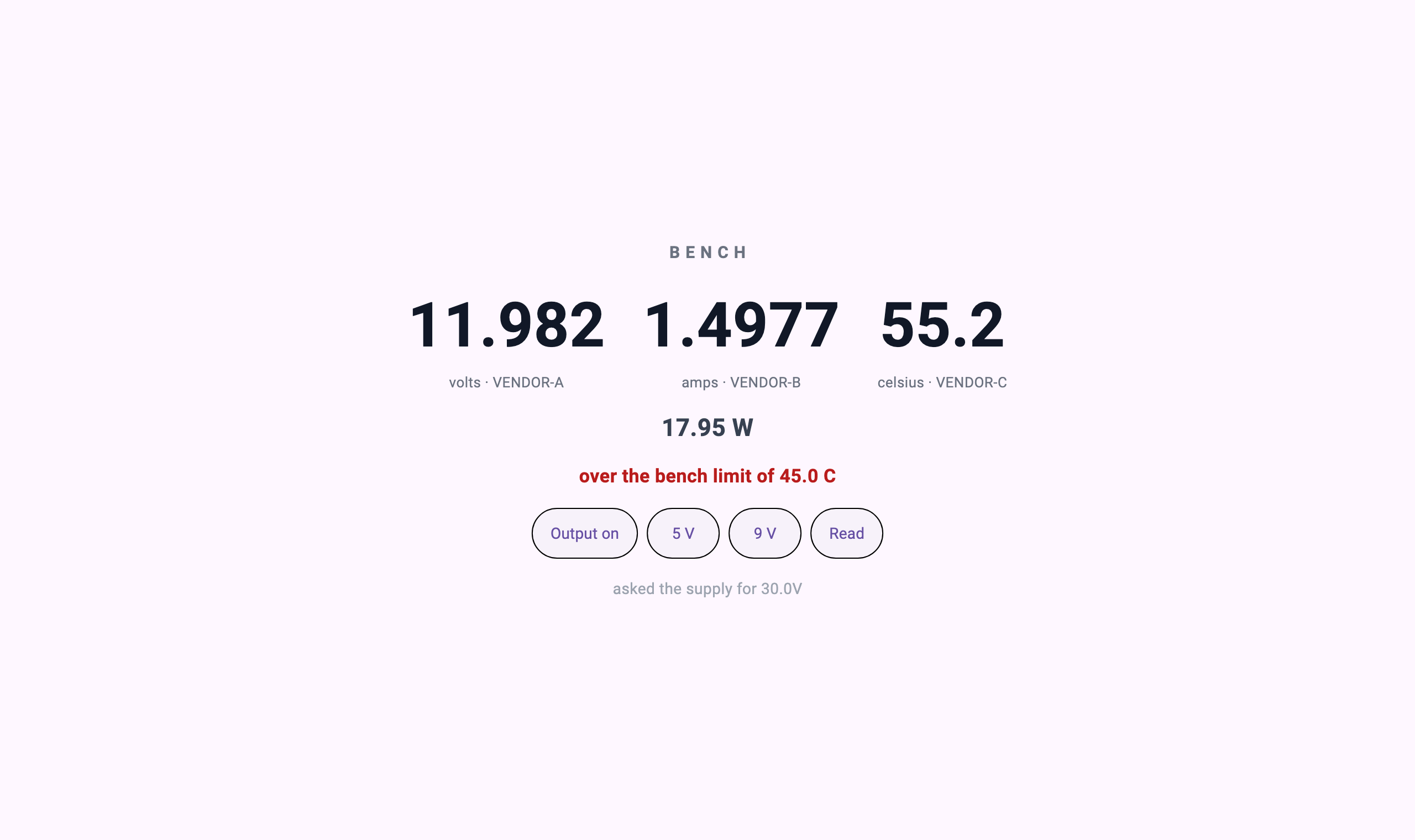
asked for 30 V -> meter reads 11.982 V (the supply is rated to 12)Below the screen it says "asked the supply for 30.0V"; the big number says 11.982.
The supply clamped to its own rating.
/* The supply clamps to its own rating whatever it is told.
 * The screen above may ask for 30 V; this box goes to 12. */
if (v > 12.0) v = 12.0;
It is easy to build a screen that puts the requested value up in large type. And that becomes a lie. The reason an instrumentation screen exists at all is that the value you dialled and the value that comes out are different, and if it shows the request there is no reason to look at it.
The check guards that too.
thirty = s.call("supply.set_volts", {"volts": 30})
assert float(thirty["volts"]) < 12.0, "the bench limit must clamp the supply"
assert thirty["over"], thirty
asked 30 V, screen shows 11.982 V — the knob is not the readingSame for the 3.295 volts. 3.3 was set and the meter read 3.295 — because a supply sags a little under load, and that 0.005 volts is exactly why you attach a multimeter.
The limit belongs to the bench
A red line appeared at 55.2 degrees. Where did that 45 come from?
// The limit is the bench's, not the instrument's. A box does not know what
// the experiment considers too hot.
const tempLimit = 45.0;
The temperature logger does not know whether 55.2 is hot. It just says 55.2. Judging it hot belongs to whoever knows what this experiment is, and so that number lives on the bench side, not in the equipment.
What the instrument still does
This approach does not replace measurement. Accuracy, calibration, fast sampling, trigger timing — that is the instrument firmware's real job and it should stay there.
A screen asking MEAS:VOLT? once a second is an operator's panel, not a high-speed acquisition path. Moving microsecond-trigger waveform capture into the definition layer would be foolish. Measurements that must be solid stay in solid instruments.
Run and verify
$ bash verify.sh
   [1/2] bench_server (dart analyze)
No issues found!
   [2/2] open in AppPlayer, drive it, capture
bench-instruments: three instruments read, 9 V taken, 30 V clamped by the bench
Run it yourself
cd instruments && cc -O2 -o instruments instruments.c && cd ..
( cd bench_server && dart pub get )

# In AppPlayer: add a server app — command `dart`, arguments `run bin/server.dart`,
# working directory `bench_server/`.

bash verify.sh
What to take
- An instrument declaration plus three parsers —
_Instrumentwithexponent,plain,withUnit. A fourth instrument is one line - A terminator-preserving splitter —
_NewlineOnlySplitter, which lets a vendor's\rreach the code - The dialect check — three lines in
verify.shconfirming all three reply formats actually arrived
To adapt it to your instruments — add a line to _Instrument and write one parser for how that vendor writes numbers. For the screen, match the field names in bench.json. Whether the link is USB-TMC or LAN is business inside _Bench.ask.
Practice task
Add a second device to the example. List every file you changed. The host should not be one of them.