即使仪器没有专用软件
7 分钟实验台上摆着电源、万用表和温度记录仪。三家的产品。
把这三台凑到同一块屏上,这活儿总是接不上。每家都给你一套自家仪器的 GUI,而那是给 他们自己那一台用的。把别家的万用表也放进那块屏,不是那套软件的事。所以最后还是自己写——装驱动、写通信代码、再做一块画值的屏,实验一变,这一整套全得改。
可是 仪器早就会说话。 要发明的东西没有,要包的东西才有。
三家用三种方式回答
丢一个 *IDN?,三台都答。
IDN VENDOR-A,PSU-3010,SN421337,1.4
IDN VENDOR-B,DMM-71,SN090210,2.0
IDN VENDOR-C,TL-4,SN005150,0.9
到这里都一样。一问值就分开了。
psu1:MEAS:VOLT?  ->  +3.29505E+00
dmm1:MEAS:CURR?  ->  0.4119\r
temp1:MEAS:TEMP? ->  26.9 C
三行说的都是一个数字,却是三种写法。
- 电源用 指数写法回答
- 万用表是普通十进制,但带着一个 回车符过来
- 温度记录仪把 单位粘在值上送
三台都是 SCPI。仍然差成这样。而这正是仪器代码变脏的真正原因——不是协议难,而是 三家把同一个协议用得各有各的习惯。
把吸收的地方收成一处
每台设备配 一个读数字的函数。那是唯一知道那家习惯的地方。
/// `+3.30000E+00` — exponent notation. Dart parses it directly.
static double exponent(String raw) => double.parse(raw.trim());

/// `0.4125\r\n` — plain, but with a carriage return that will silently
/// break a naive parse if it is not trimmed.
static double plain(String raw) => double.parse(raw.trim());

/// `24.8 C` — the unit is glued to the value. Split it off, and keep the
/// unit out of the number rather than out of the record.
static double withUnit(String raw) => double.parse(raw.trim().split(' ').first);
设备声明各自咬着其中一个。
static const _psu = _Instrument('psu1', 'VENDOR-A', _Instrument.exponent);
static const _dmm = _Instrument('dmm1', 'VENDOR-B', _Instrument.plain);
static const _tmp = _Instrument('temp1', 'VENDOR-C', _Instrument.withUnit);
来了第四家的设备,就多一行。 分支不会散到代码各处。
方言差点在到达代码之前就消失了
这是做的时候碰上的。一开始用 Dart 默认的 LineSplitter 切行,结果它先把回车符吃掉了。 万用表的 \r 根本没走到 plain()。
行为上没问题。但是 那个本该知道这家习惯的地方,实际上什么也没做。 等下一台设备送来 \r\r\n,就在那里炸,而没人知道该看哪儿。
所以只切换行符再往下传。
/// Lines are split on the newline only, deliberately. Dart's LineSplitter
/// would swallow a vendor's carriage return before this code ever sees it,
/// and then the one place that is supposed to know about that vendor's habit
/// would never be exercised. Terminators are a property of the instrument, so
/// they arrive intact and get dealt with once.
校验会看这三种方言是不是真的到了。设备要是变得整齐划一,这个样例就什么也证明不了。
idn = [s.call("bench.read")["wire"] for _ in range(3)]
assert len(idn) == 3, idn                    # exponent · CR-terminated · unit-attached
一块屏
打开输出,读三台。
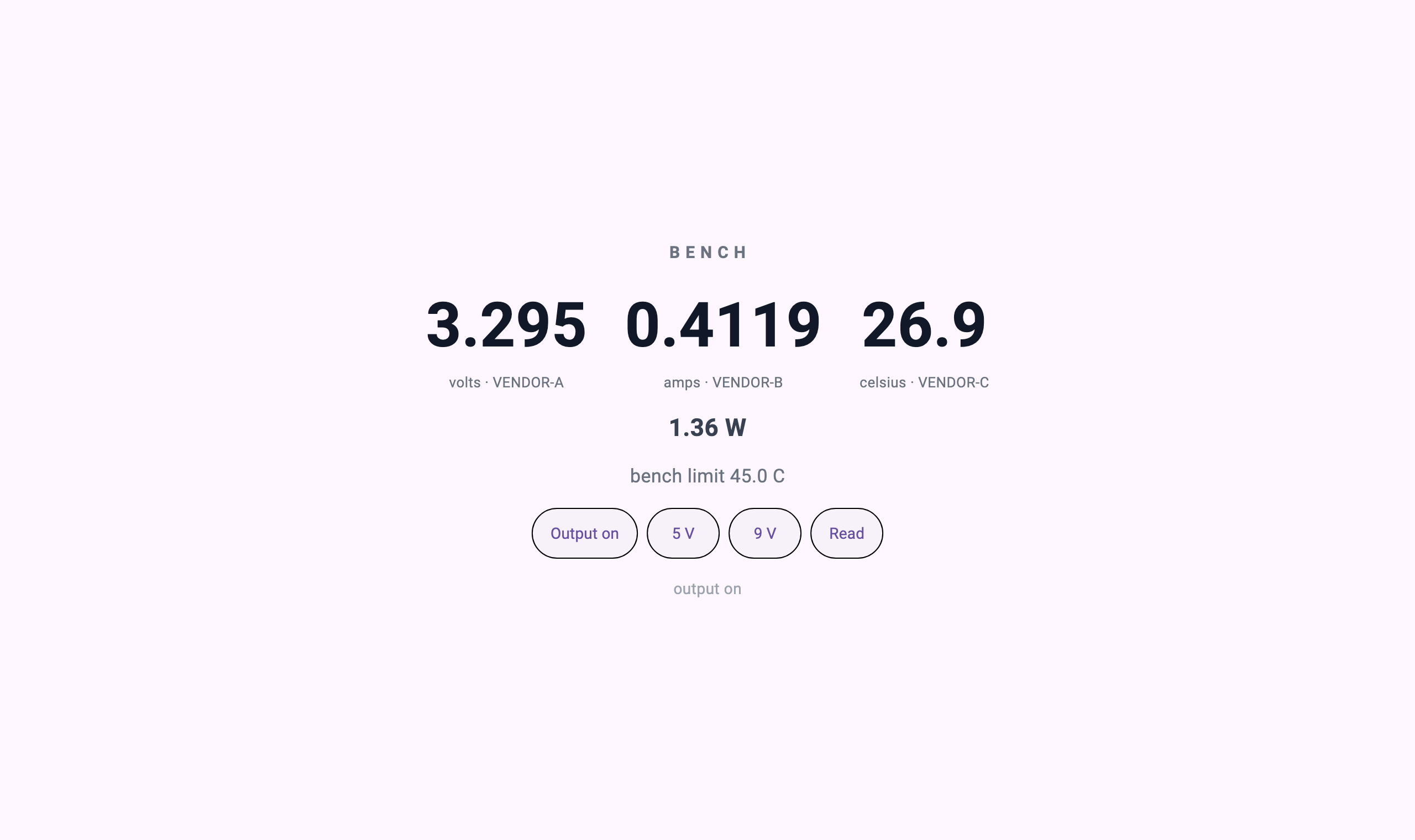
after output on: 3.295 V · 0.4119 A · 26.9 C · 1.36 W
verbatim: psu1:MEAS:VOLT? -> +3.29505E+00 | dmm1:MEAS:CURR? -> 0.4119\r | temp1:MEAS:TEMP? -> 26.9 C屏上每个数字下面都标着厂商名。哪个值来自哪个箱子,这件事留在屏上——三个值一旦变成一个形状,出处就很容易被抹掉,而实验中数字不对时,第一个该问的正是这个。
升到 9 伏。
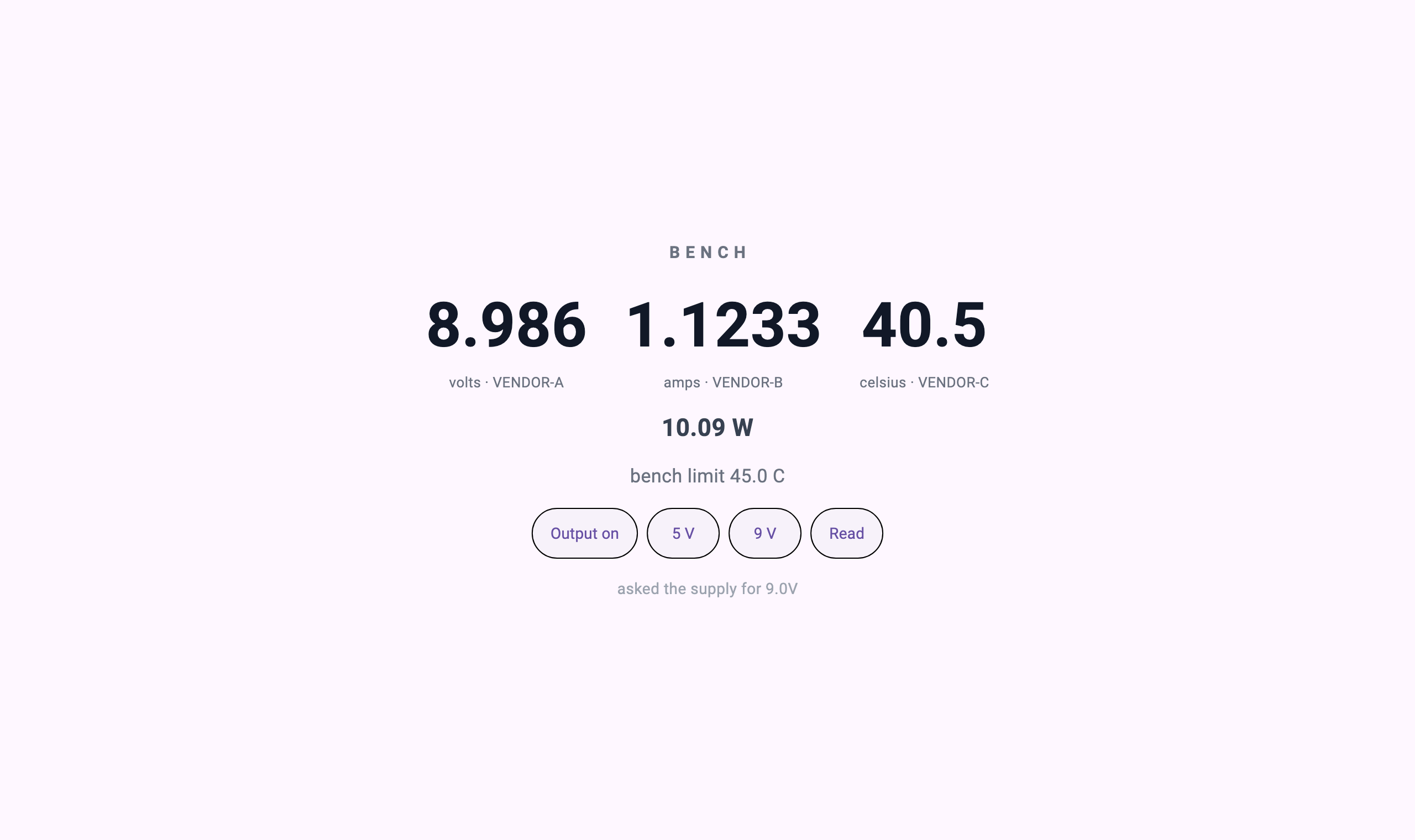
asked for 9 V -> meter reads 8.986 V, 40.5 C, 10.09 W温度从 26.9 升到 40.5。是温度记录仪这么答的,不是屏根据功率算出来的。
旋钮不是仪表
这是这一篇的要点。要了 30 伏。
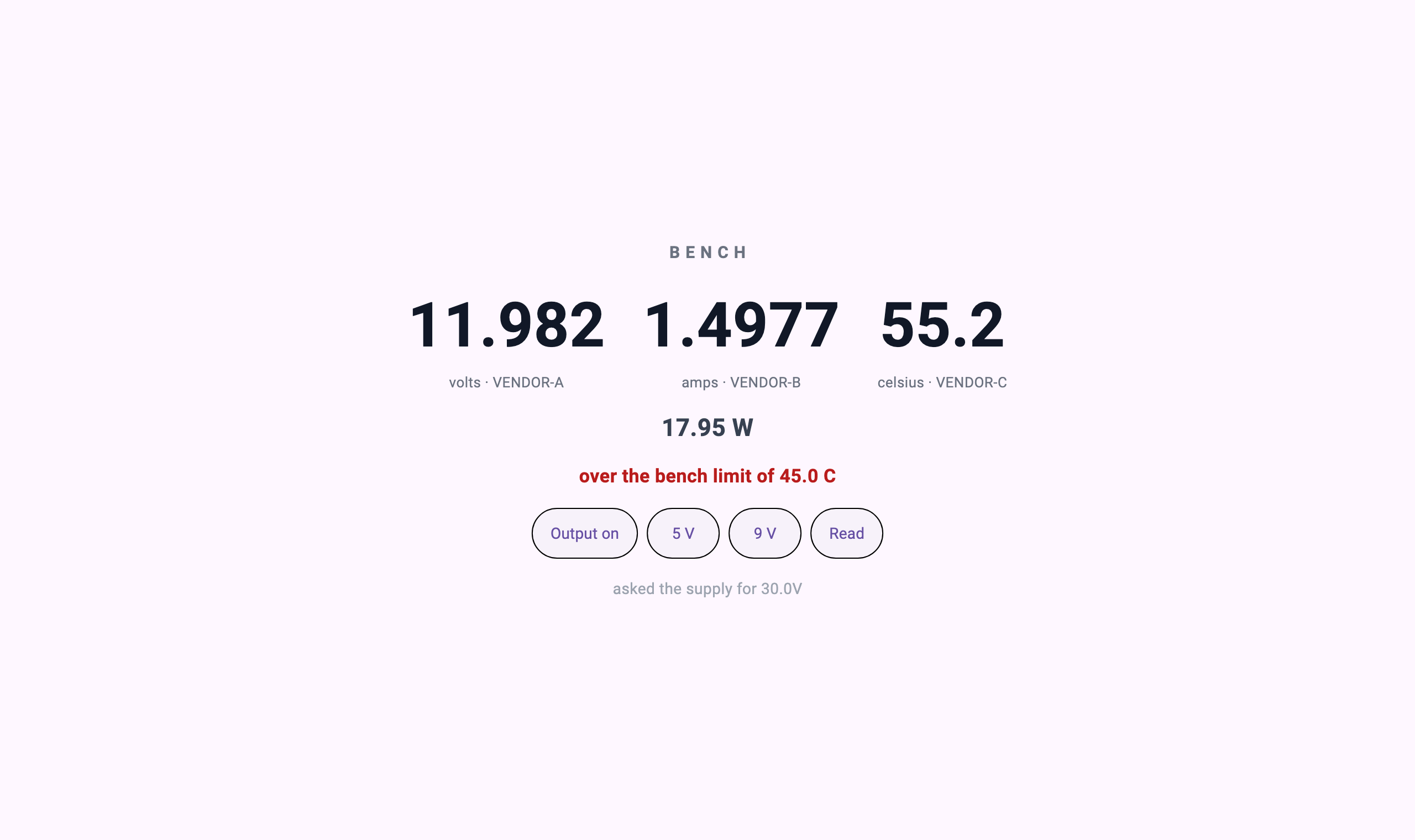
asked for 30 V -> meter reads 11.982 V (the supply is rated to 12)屏下面写着 "asked the supply for 30.0V",大字显示 11.982。
是电源按自己的额定值夹住了。
/* The supply clamps to its own rating whatever it is told.
 * The screen above may ask for 30 V; this box goes to 12. */
if (v > 12.0) v = 12.0;
做一块把请求值原样放成大字的屏很容易。而那会变成谎话。仪器屏存在的理由,正是 旋钮拨到的值和实际出来的值不一样;显示请求值,那这块屏就没有看的必要了。
校验也守着这一点。
thirty = s.call("supply.set_volts", {"volts": 30})
assert float(thirty["volts"]) < 12.0, "the bench limit must clamp the supply"
assert thirty["over"], thirty
asked 30 V, screen shows 11.982 V — the knob is not the reading3.295 伏也一样。设的是 3.3,仪表读到 3.295——带上负载电源会稍微塌一点,而接万用表就是为了看那 0.005 伏。
上限是实验台的
55.2 度那里出了一条红线。那个 45 度是哪来的?
// The limit is the bench's, not the instrument's. A box does not know what
// the experiment considers too hot.
const tempLimit = 45.0;
温度记录仪不知道 55.2 度算不算烫。 它只是说 55.2。判断烫不烫,是知道这个实验是什么的人的事,所以那个数字在实验台这一侧,不在设备里。
仪器仍然在做的事
这套做法不替代测量。准确度、校准、快速采样、触发时序——那是仪器固件的本职,也应该留在那里。
每秒问一次 MEAS:VOLT? 的屏,是 操作员看的仪表盘,不是高速采集通道。把微秒触发抓波形的活挪进定义层是愚蠢的。必须硬的测量,就留在硬的仪器里。
运行与校验
$ bash verify.sh
   [1/2] bench_server (dart analyze)
No issues found!
   [2/2] open in AppPlayer, drive it, capture
bench-instruments: three instruments read, 9 V taken, 30 V clamped by the bench
自己跑一遍
cd instruments && cc -O2 -o instruments instruments.c && cd ..
( cd bench_server && dart pub get )

# In AppPlayer: add a server app — command `dart`, arguments `run bin/server.dart`,
# working directory `bench_server/`.

bash verify.sh
可以带走的
- 设备声明加三个解析器 —
_Instrument与exponent、plain、withUnit。第四台就是一行 - 保留终止符的分行器 — 让厂商的
\r走到代码里的_NewlineOnlySplitter - 方言检查 — 看三种回复格式是否真的到了的那三行
verify.sh
换成自己的设备时 — 往 _Instrument 加一行,再写一个解析器说明那家怎么写数字。屏这边把 bench.json 的字段名对上就行。通信走 USB-TMC 还是 LAN,是 _Bench.ask 里面的事。
练习任务
在示例中再接入一个设备。列出你改动的所有文件——主机不应在其中。